Know what your SaaS keeps.
Track revenue, expenses, and profit for each of your products. When you’re ready, give your product a page in the RealMRR directory.
- Revenue
- $4,850
- Expenses
- −$1,170
- Profit
- $3,680
76% of revenue kept
Import revenue and bills directly with connectors
Revenue imports
- Stripe
- Polar
- Paddle
- Lemon Squeezy
- RevenueCat
- Dodo Payments
Expense imports
- OpenAI
- Anthropic
- OpenRouter
- Vercel
- Cloudflare
- Railway
- Resend
- GitHub
- DigitalOcean
- Twilio
- Firecrawl
- xAI
- Neon
- MongoDB Atlas
- Cursor Teams
Missing a connector? Log the expense with your agent or request an integration.
From tracking profit to listing your product.
Find out when something changes
Get email alerts for cost spikes, margin drops, and failed syncs, plus a weekly digest. You can also send alerts to Slack or a signed webhook.
Get your books ready for tax season
Download transactions as CSV or export journals for QuickBooks Online and Xero. Your yearly report maps income and expenses to supported US and Canadian tax forms.
Publish when you’re ready
Give your product a public page with a link to its website. You can keep every figure private. Leaderboards use published, verified data.
Make it easy for buyers to reach you
Choose whether to accept buyer inquiries from your listing. RealMRR forwards them and keeps your email address private.
Share your progress
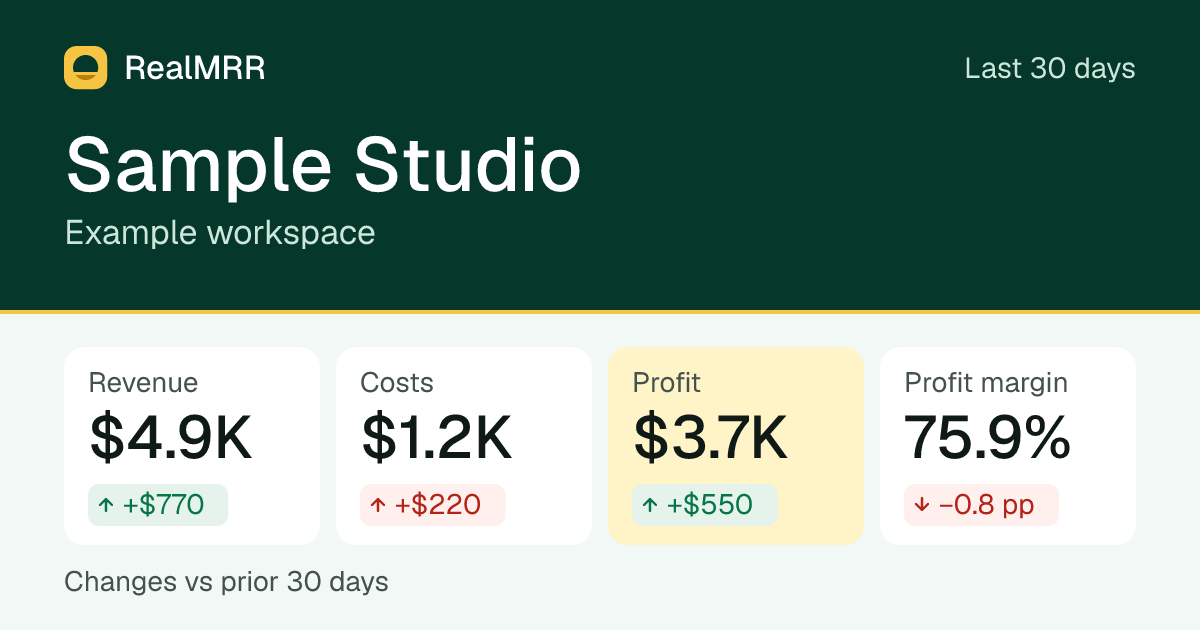
Download a branded card
Grab a PNG from your public product page. It shows only the figures you’ve chosen to publish.
Preview and publish on X
On Plus and Scale, connect your X account to draft a caption and chart. Preview the post and approve it before it goes out.
Ready for your agents
Connect the agent you already use with MCP. It can bring profit summaries into your existing finance workflows and record expenses when you give it write access.
Start tracking for free.
Free up to $3,000 a month in net revenue. Track unlimited products on every plan.